How to create a MySQL database
Use a database when your PHP app needs accounts, posts, settings, orders, or any data that should be saved.
1 settings Open project settings
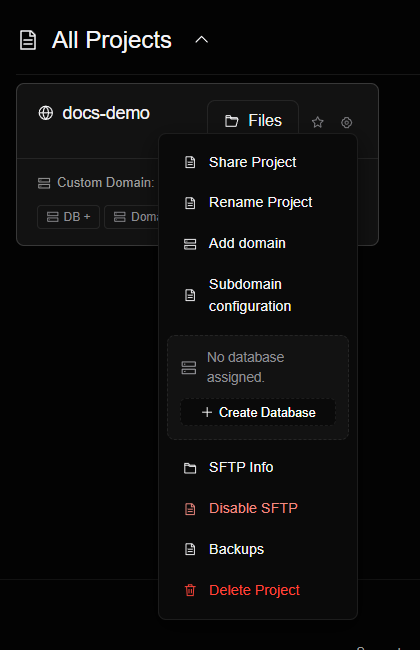
Go to your project in the dashboard and open its database or settings section.
2 storage Create the database
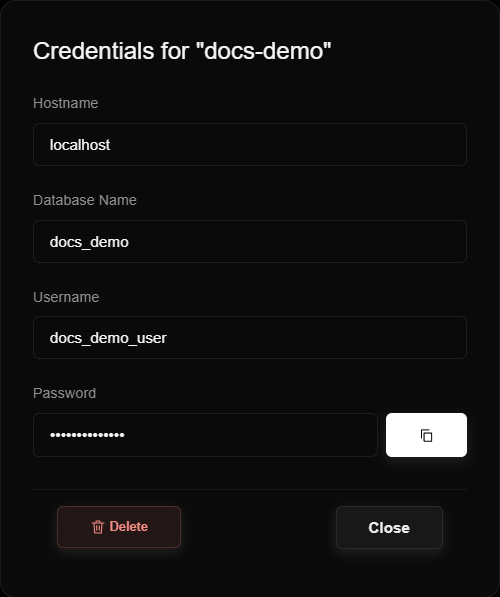
Click the option to create a MySQL database. Save the database name, username, password and host.
3 code Connect from PHP
Use these credentials in your PHP connection:
$pdo = new PDO('mysql:host=DB_HOST;dbname=DB_NAME;charset=utf8mb4', 'DB_USER', 'DB_PASSWORD');
4 lock Keep credentials private
Do not publish database passwords in public screenshots, public repositories, or downloadable files.